 Degchi
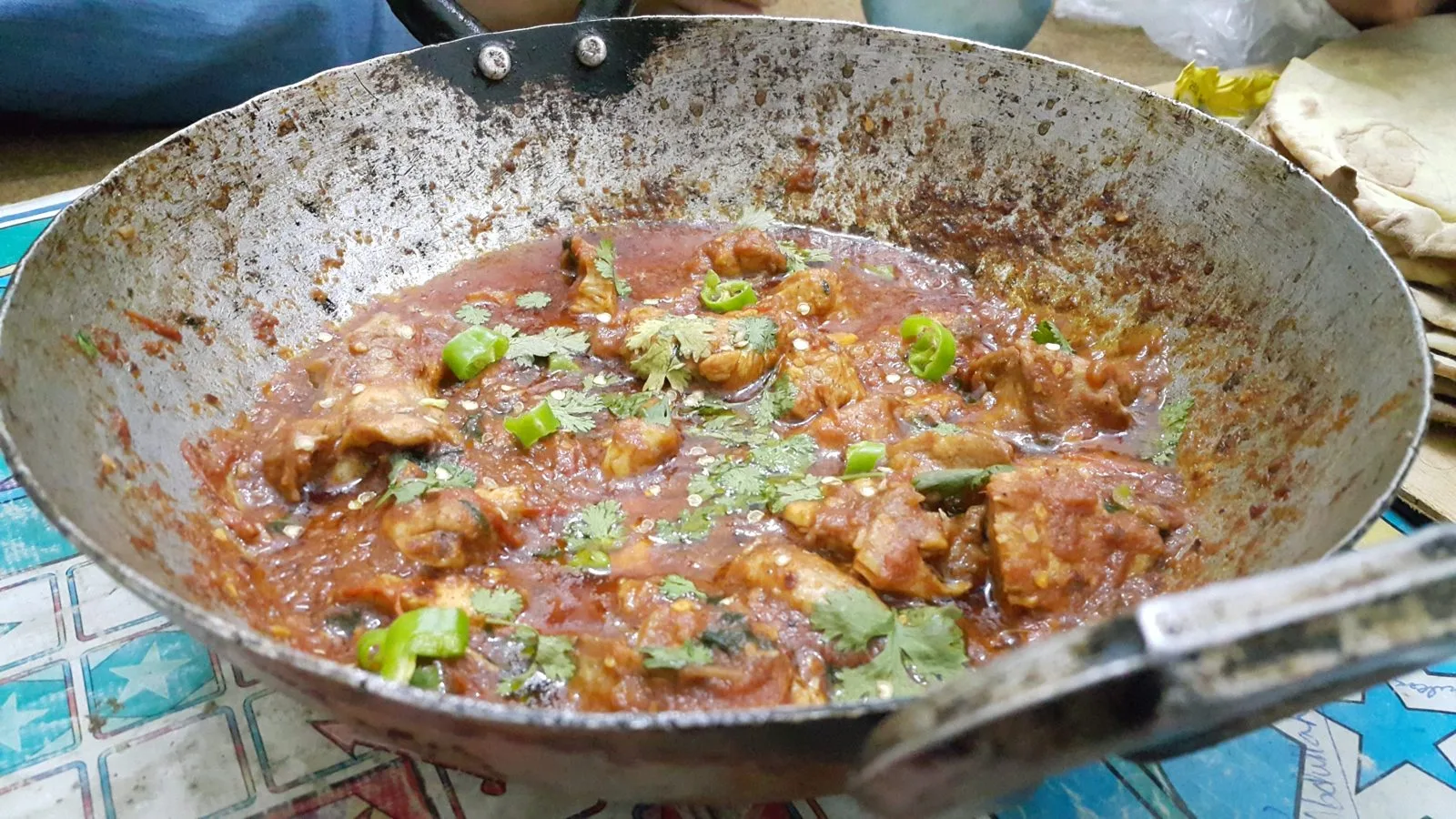
Photo: Kskhh / CC BY-SA 4.0
How Degchi Works Out What You Can Cook Today
The Degchi guide · Part 3 of 15
The question behind the app
"What can we cook today?" sounds simple. In practice it means checking the fridge, remembering what is in the cupboard, thinking about what everyone will actually eat, and working out whether you are short of one thing. That is a lot of thinking at the end of a long day.
Degchi does that checking for you. This is the third post in the Degchi App Guide, and it explains the Home screen, because that is where your pantry turns into dinner ideas.
What you see on Home
At the top there is a big number: how many dishes you can cook right now, with what is in your pantry. Under it are three small counts for your pantry: Have, Low and Out. Below that, the screen is made of shelves:
- Today's top pick: one dish to start with, shown big, with a Start cooking button. It can also be flagged as the Recipe of the Day.
- Ready to cook: dishes where you have everything.
- More from other kitchens: more dishes you can make, but from cuisines you did not pick at setup. A Pakistani household might see a Gulf or South Indian dish here.
- Almost there: dishes where you are missing one or two things.
- Add your recipe: a shortcut to put your own recipe in the app.
There is also a search box ("Search recipes…") if you already know what you want.
The rules, in plain English
The matching is not magic, and it is useful to know the rules, because they explain why a dish shows up where it does.
Only the main ingredients count. Each recipe lists the ingredients it truly needs. Garnishes are marked optional. For example, aloo gobi lists coriander as optional, so a missing bunch of coriander will not stop the dish being "Ready".
Staples are ignored. Anything you marked "Always have" (salt, oil and the like) is assumed to be in the kitchen. We explain staples in How to Track Your Pantry with Have, Low and Out.
Low still counts as available. If you are down to the last of the cumin, the dish is still cookable. Degchi simply prefers dishes where nothing is running low when it picks the order, so your best option comes first.
Out or not marked means missing. If an ingredient is Out, or you never added it, the recipe counts it as missing.
One or two missing makes it "Almost there". That is the threshold: a dish that needs three or more ingredients you do not have does not appear in that row.
A real example
Take chicken karahi. It needs chicken, tomato, ginger, garlic, green chilli, coriander, red chilli powder, cooking oil and salt. Say you have everything except green chilli and coriander. Degchi puts karahi under Almost there with a line like "Missing Green chilli, Coriander — already on your list". Both items have already been added to your shopping list, so you can buy them on the way home.
Compare that with daal, which needs red lentils, rice, onion, tomato, garlic, ginger, turmeric, cumin seeds, clarified butter and salt. If all of that is in your kitchen, it appears under Ready to cook. Nothing to buy, forty-five minutes to dinner.
When nothing is ready
Early on, your pantry may be thin. In that case Degchi shows a different message: "You're 1 ingredient away from" some number of dishes, with lines like "Buy (ingredient) → unlocks (number) dishes". Tap Add to list and it goes on your shopping list. It is a nice way to choose what to buy: pick the item that opens the most dinners.
You can also open the full recipe list and filter it: Ready now, Almost, Breakfast, Lunch & dinner, Veg, Under 30 min or Favourites.
A ten-second glance instead of a debate
The Home screen replaces a ten-minute debate with a ten-second glance. You see what is cookable, what is one trip away, and what to buy, all from the same pantry. And because the matching ignores salt and garnish, it matches how real cooks think. A dish is "ready" when you can actually make it, not when every optional extra is in the house.
When you pick a dish, the next step is the recipe page itself, which we cover in Reading a Degchi Recipe: Metric, US Cups and Servings.
Find your dinner
Degchi is a free beta, and all you need to join is a Gmail address. Join the Degchi beta, add your pantry, and see how many dishes you can cook tonight.
All posts in this guide
- The Degchi App Guide: Every Feature, Explained Step by Step
- How to Set Up Degchi in Five Minutes
- How to Track Your Pantry with Have, Low and Out
- How Degchi Works Out What You Can Cook Today
- Reading a Degchi Recipe: Metric, US Cups and Servings
- Cook Mode in Degchi: Step-by-Step Timers That Ring
- Your Shopping List, Built from Your Pantry
- How to Set Up Your Family in Degchi
- How to Settle "What's for Dinner?" with a Family Vote
- Dish Requests and Weekly Helpers: Getting Everyone Involved
- Meal Times and Reminders: Never Wonder at 6 pm Again
- Add Your Own Family Recipes to Degchi
- Degchi in Urdu, Hindi, Bangla and Arabic: One Kitchen App, Six Languages
- Guest Mode, Google Sign-In, Backup and Privacy in Degchi: What Gets Stored
- Cook Your First Dish in Degchi: Split Chickpea Lentils (Chana Daal)
- Five Weeknight Dishes You Can Cook from a Small Pantry
Recipes with tomatoes Recipes with lentils
Related recipes


Related posts

Cook Mode in Degchi: Step-by-Step Timers That Ring
Biryani has six different waiting times and your hands are covered in marinade. Cook mode shows one step at a time and keeps every timer for you.

How to Settle "What's for Dinner?" with a Family Vote
Degchi turns the nightly "what should we cook?" debate into a short vote. Here is exactly how to start one, collect votes and cook the winning dish.
Five Weeknight Dishes You Can Cook from a Small Pantry
Eggs, onion, tomato, lentils and a few spices cover a surprising number of dinners. Here are five real recipes, and how Degchi shows which ones you can cook right now.

Guest Mode, Google Sign-In, Backup and Privacy in Degchi: What Gets Stored
You can use Degchi without an account at all. Here is what changes when you sign in with Google, what we store, how to delete it, and how the ads work.